A Garmin Approach can do much more than simply show the distance to the green. When properly configured, it can help you assess hazards, record shots, manage your strategy for each hole and gain a better understanding of your actual distances. In this guide, we look at the features worth setting up before you head out onto the course, as well as the key differences to consider between models.
What is the Garmin Approach, and why has it become indispensable?
The Garmin Approach family features over 43,000 preloaded courses and CourseView maps, providing precise distances to greens, hazards, and doglegs without the need for an internet connection.
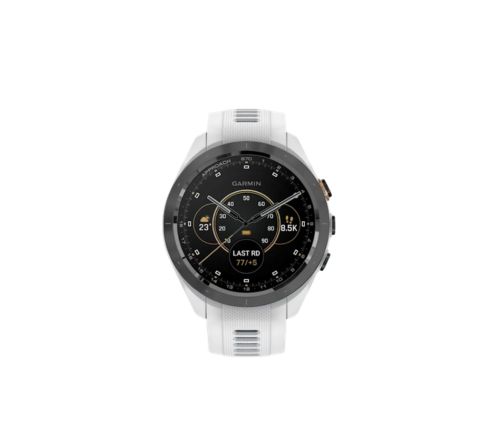
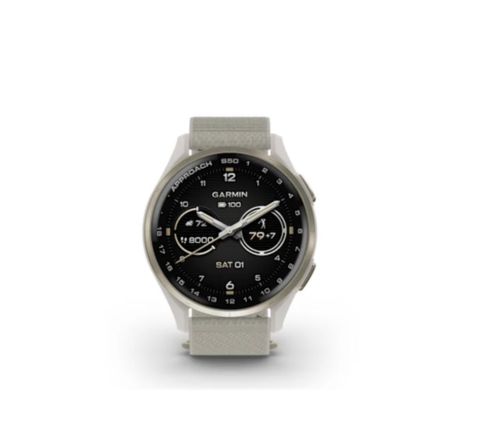
At Golfriend’s, we stock the full range: from the essential Approach S50 with an AMOLED display and up to 15 hours of battery life in GPS mode
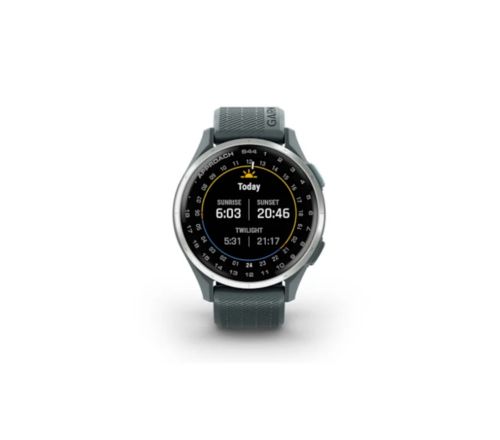
to the advanced Approach S70 featuring an AMOLED screen and virtual caddie. Models such as the Approach S44 complete a line-up designed to help every type of player make smarter decisions on the course.
First steps: how to set it up before your first round
Pair your watch with the Garmin Golf™ app
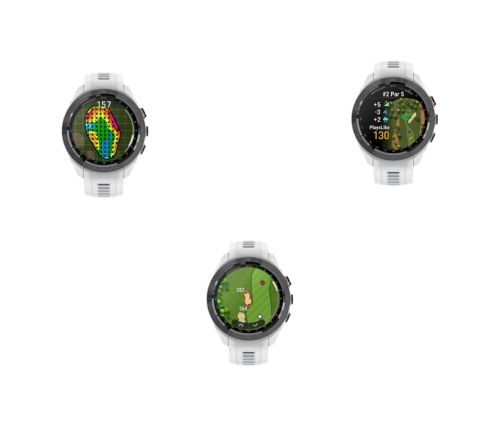
The first step is to download the Garmin Golf™ app and pair your watch via Bluetooth. This connection is what unlocks the device’s true potential: updated CourseView maps, green contour data, and the Touch Targeting feature, which calculates the precise distance to any point on the hole.
Pairing is quick: open the app, create your account, and the watch will pair automatically. From that moment on, you will have access to premium features and a historical record of your rounds to analyse your progress hole by hole.
Set up your Player Profile
Within the settings menu, enter your Handicap Index, your playing side (left or right-handed), and your average club distances. This information acts as the “brain” of the Virtual Caddie on models like the S70, allowing the watch to suggest the ideal club for every situation.
If you don’t know your exact yardages, don’t worry: the system will adjust them automatically via shot tracking. With every round, your Garmin will learn how you actually play, fine-tuning its recommendations so that you only have to focus on executing your swing.
Download the map for your home course
Although the watch includes over 43,000 courses, it is vital to download wireless updates for your regular courses via the app. This ensures you always have the most recent version of the layout.
Keeping your maps up to date is fundamental if the course has made recent changes to hazard locations or green design, preventing outdated information from leading to a costly mistake on a critical shot.
Key features you should use from day one
This is the essential feature: the watch displays real-time distances to the front, middle, and back of the green. This information is the foundation of your strategy for every hole.
Knowing you have 155 yards to the centre when playing into a headwind or an uphill shot radically changes your club selection. Having these three reference points allows you to play with a margin for error, ensuring your ball always finds the putting surface.
Hazard View
Hazard View is the most underutilised feature, yet it is the most effective for avoiding dropped shots. It shows the precise distance to bunkers, water, and doglegs, completely replacing the traditional paper yardage book.
On models like the Approach S62, its 1.3″ touchscreen—17% larger than previous versions—provides a clear and crisp readout even in direct sunlight, giving you a distinct visual perspective of the hole before you even take a club out of the bag.
Digital Scorecard: Leave the paper and pencil behind
All Approach models allow you to record your score hole by hole, keeping the par reference always in view. Upon finishing, your data syncs automatically with the Garmin Golf™ app.
This feature transforms your watch into a personal analyst: you can review your statistics for fairways hit, greens in regulation (GIR), and your historical progress on every course. Analysing where you drop shots is the first step towards consistently lowering your handicap.
Tap to measure: availability by model
The availability of Tap to Measure depends on the model. On the Approach S70, the feature is included, while on models such as the S44 and S50 it may require a Garmin Golf subscription. Before applying the same instructions across the entire range, it is worth checking which features are available on the specific model.
How to get the most out of it during the round
Use it to manage your round, not just for distances
The most common mistake is using your Garmin purely as a rangefinder. Real strategic value lies in course management: before every shot, identify the most dangerous hazard and decide on your true target.
Remember that the distance to the hazard you want to avoid is often more important than the distance to the pin. Learning to play towards the “safe zone” of the fairway or green, based on the data on your wrist, is what will truly allow you to shave strokes off your card in every round.
Enable automatic shot tracking
If your model supports it, or if you are using Approach CT10 sensors, enable automatic tracking. The system will detect every impact and record the distance covered, creating a complete shot map of your performance hole by hole at the end of the day.
This technology is fundamental for identifying patterns in your game: you will know exactly how far you hit each club and detect recurring errors that often go unnoticed, allowing for much more efficient and targeted practice.
Managing battery life for long rounds
Although models like the S12 (30h) or the S62 (20h) offer excellent battery life, it is recommended to adjust the brightness and disable unnecessary notifications during your round. This will ensure you have plenty of power for multi-day tournaments or marathon 36-hole days.
Optimising power consumption not only gives you peace of mind but also extends the longevity of your device. A quick adjustment in the settings before heading to the 1st tee ensures your Garmin stays with you accurately right up until the final putt of the day.
The Garmin Golf™ App: What happens after the round
The app is where your Garmin Approach reveals its true value: every round is transformed into a database of average distances, putting statistics, and accuracy off the tee. Over time, this history provides an objective blueprint of your game that no caddie could ever match.
In the Golfriend’s accessories section, you will find the full Garmin Approach range with complete specifications. Compare the models and choose the tool that will help you make better decisions and, above all, enjoy every single hole much more.